AI-Powered Windows Repair Toolkit
GRAM (Guardian Repair & Analysis Module) diagnoses, fixes, and recovers Windows machines — from a USB stick. Free toolkit, pay-as-you-go AI.
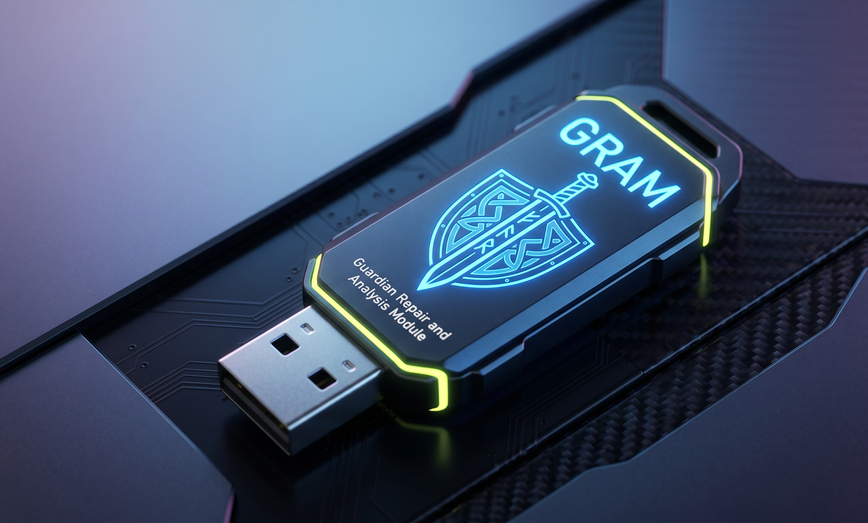
GRAM (Guardian Repair & Analysis Module) diagnoses, fixes, and recovers Windows machines — from a USB stick. Free toolkit, pay-as-you-go AI.
The GRAM toolkit packs a complete Windows repair workflow onto one portable USB — it runs inside the live Windows session, nothing to install. Local-first scripts, AI-assisted analysis when you need it.
Full hardware/software audit in 2 minutes. Disk health, event logs, crash dumps, boot config, startup items, processes, network, Windows Update status.
Detect persistence mechanisms, suspicious services, browser hijacks, unauthorized firewall rules, Defender exclusions, scheduled tasks.
Adapter status, DNS resolution, gateway reachability, port scan, routing table, DHCP lease info.
Recycle Bin search, MFT scan for deleted files, VSS shadow copy restore, raw disk carving. All recovered files saved to USB.
ddrescue-style sector imaging of failing drives before repair. SMART health checks, verification, progress tracking.
Help a rightful owner or heir recover crypto wallets and passwords from a deceased or locked-out user's PC. Finds wallet files and stored hints across accounts, OCRs photos and screenshots for seed phrases, copies findings to the USB. Honest about limits — it can't break encryption.
Autonomous repair agent that reads diagnostics, runs tools, applies fixes, and explains everything. Powered by Claude.
Download the GRAM toolkit and extract to any USB drive (8GB+). The runtime is bundled — nothing to install, ever.
Plug into any Windows 10/11 machine, double-click Start GRAM at the USB root. Approve the admin prompt; the dashboard opens in your browser.
Run diagnostics and let the AI agent walk through the repair. All recovered files stay on the USB.
All diagnostics, repairs, and file recovery are free forever. You only pay for AI features. New accounts start with 1 free AI credit — no card required.
Pay as you go — for independent techs and small shops.
| Pack | Credits | Price | Per Credit |
|---|---|---|---|
| Starter | 10 | $25 | $2.50 |
| Pro | 30 | $60 | $2.00 |
| Bulk | 100 | $150 | $1.50 |
Monthly subscriptions for IT departments and MSPs with predictable volume.
| Plan | Techs | Calls/mo | Price |
|---|---|---|---|
| Solo | 1 | 200 | $49 |
| Team | 3 | 600 | $129 |
| Shop | 5 | 1,000 | $199 |
| Enterprise | 10 | 2,000 | $349 |
Stuck at a blue screen or a hex stop code? Jump straight to the exact commands — answer-first, with data-safety warnings. All repairable from the broken PC itself.
Stop code 0x7B — bootrec sequence, AHCI/RAID mode, and bad-update root causes.
The UEFI "Access is denied" trap, and the correct bcdboot fix on GPT disks.
Locate the EFI partition with diskpart and rebuild the bootloader with bcdboot.
Unlock with manage-bde after an update and stop the recovery-key loop. (You need your key.)
Index of common stop codes — 0xc0000001, 0xc000014c, 0xc0000034 and more — cause & fix.
GRAM vs MediCat, Strelec, Hiren's, UBCD, Ventoy — honest 2026 comparison.